Now on the App Store — 100% On-Device AI

Voice memos that think for themselves

Record meetings, lectures, and ideas — or import call recordings for transcription. Whisper AI processes everything on-device. Search every word you ever said. Free to start.

Download on the App StoreFree · Pro upgrade $3.99
LibraryTranscriptSearchRecordingCard ColorTags

How it works

Three taps from chaos to clarity

🎙️

STEP 01

Record or Import

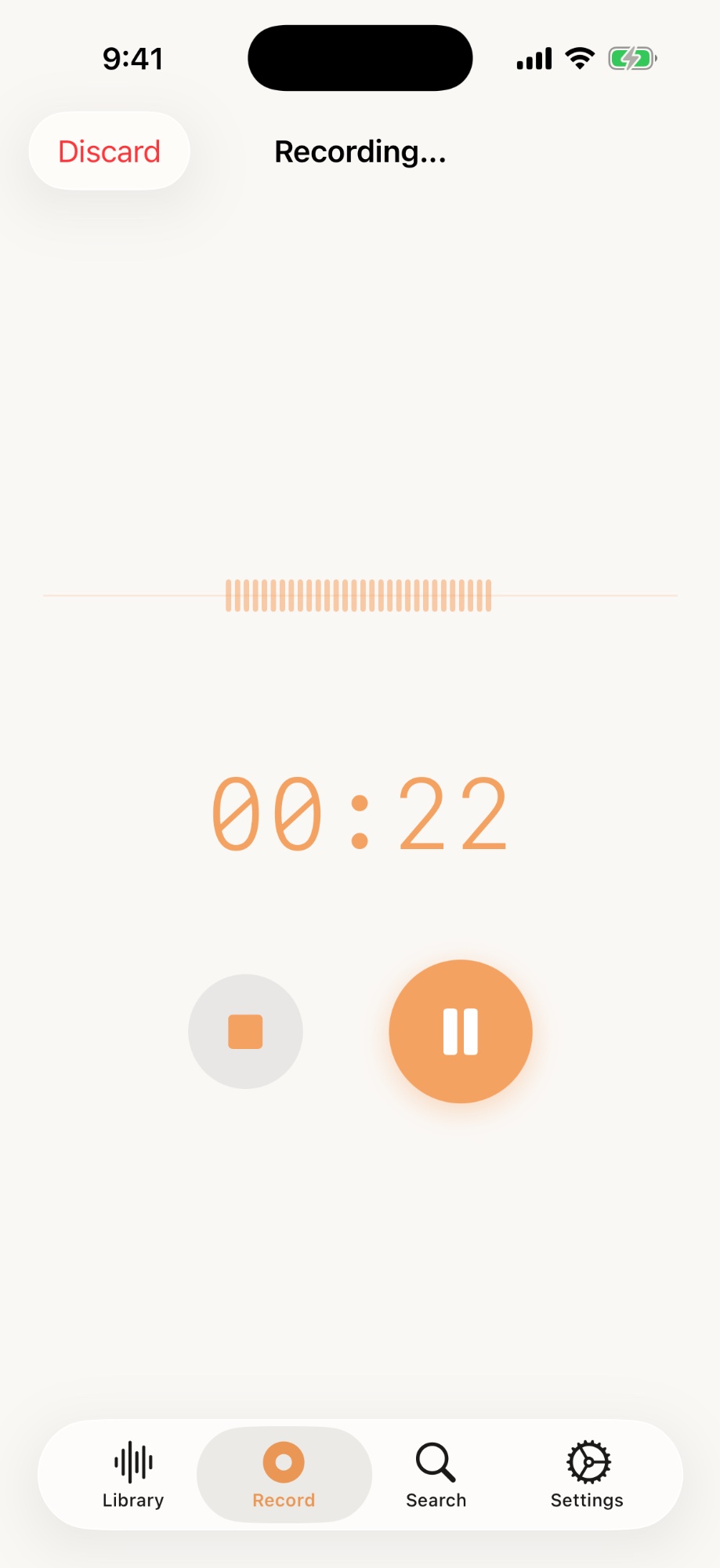
Tap the mic to record — or import audio files and iOS call recordings from the Files app. Meetings, lectures, phone calls, quick notes.

STEP 02

Transcribe

Whisper AI converts speech to text entirely on your device. No internet needed after initial setup. No data ever leaves your phone.

🔍

STEP 03

Find Anything

Search across every recording instantly. Organize with tags and folders. Nothing gets lost again.

Features

Everything competitors forgot to build

On-Device Whisper AI

OpenAI's Whisper model running locally via Apple Neural Engine. No cloud uploads. Works offline after a one-time model download (~140 MB).

Smart Tags & Folders

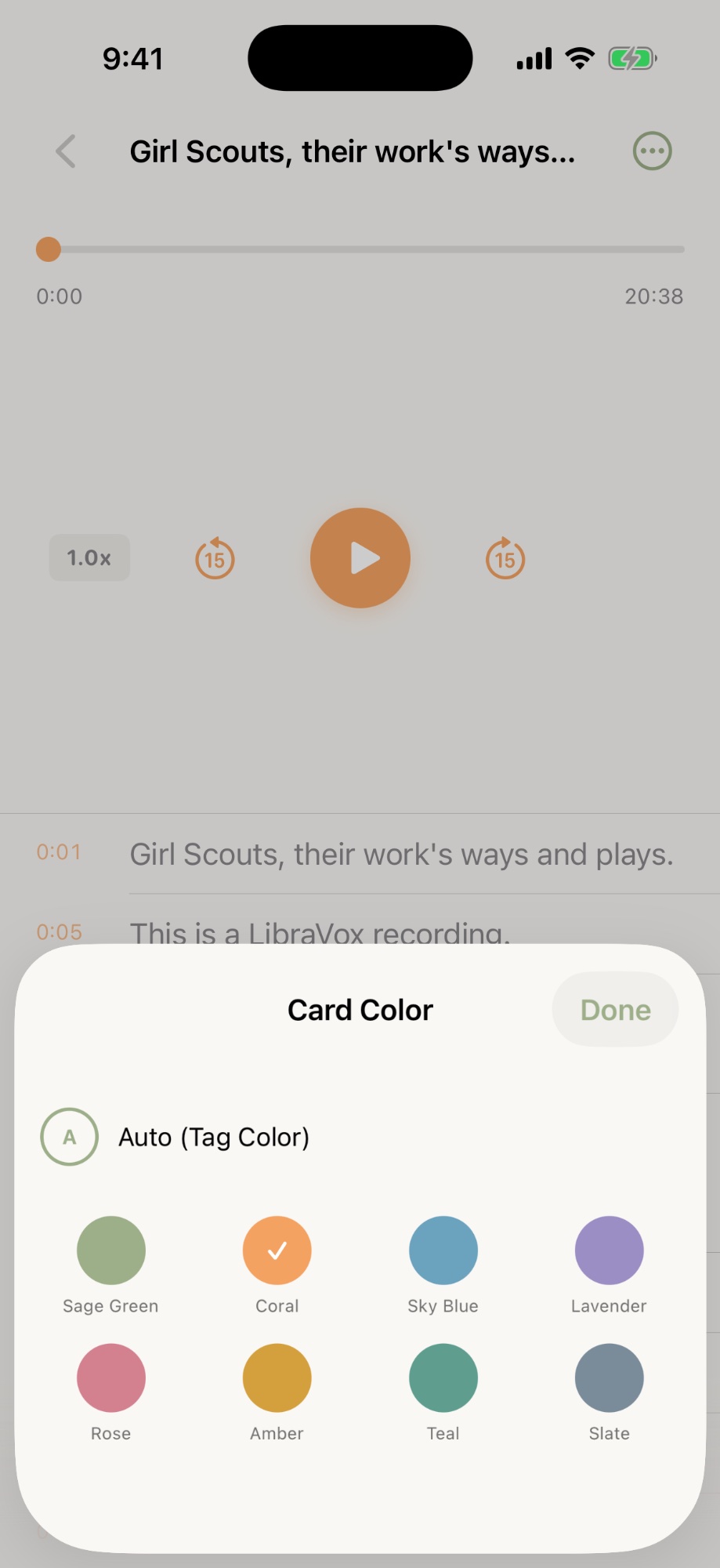
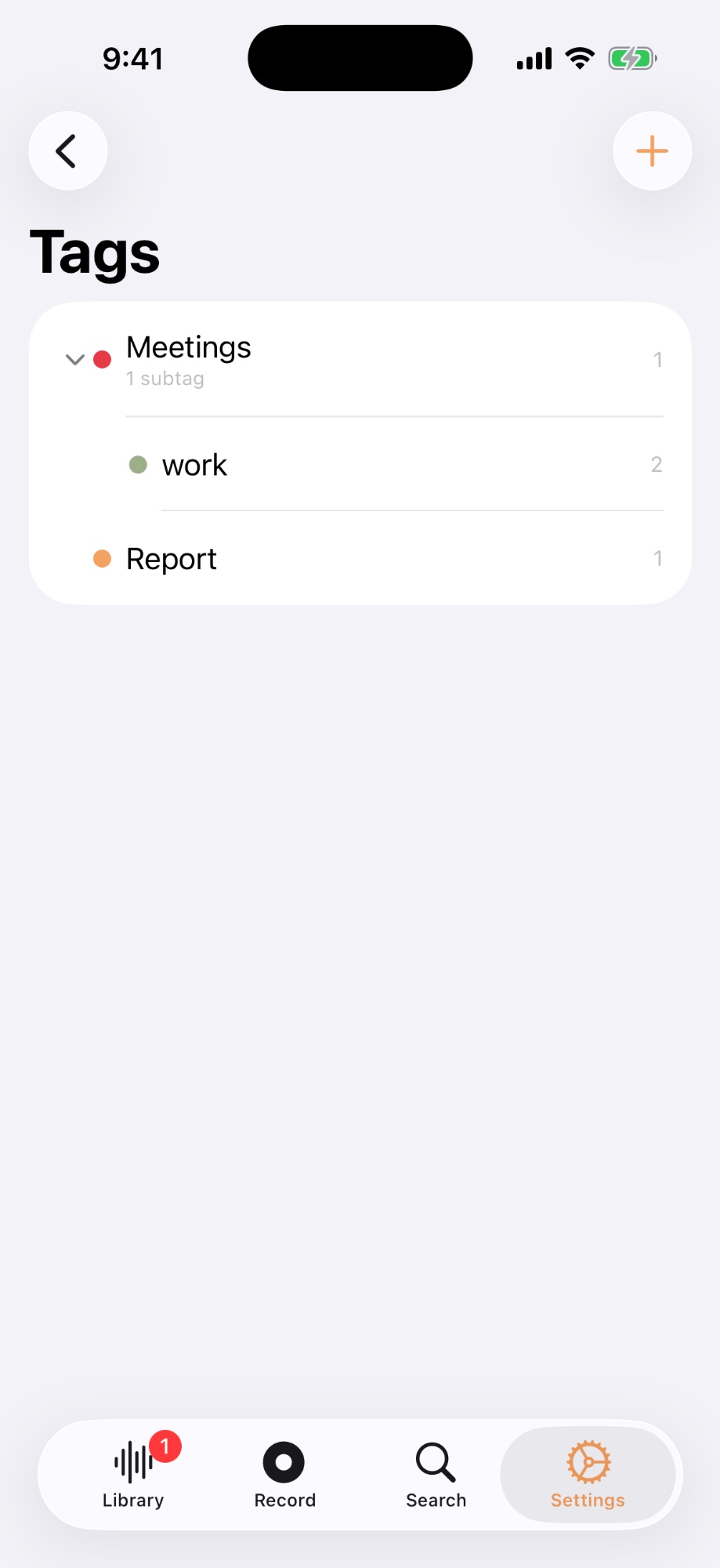
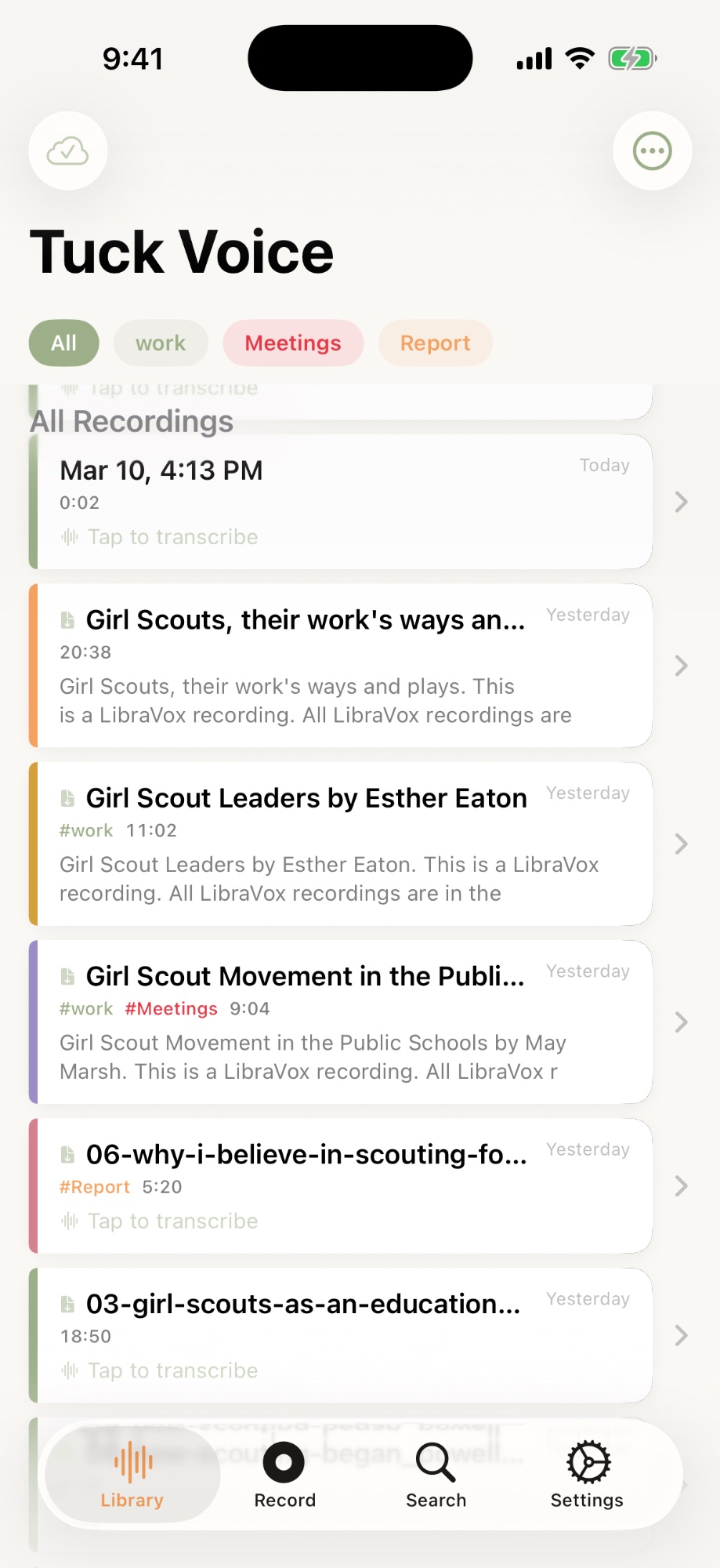
Nested tags, folders, bookmarks, color-coded cards, and auto-generated titles from your transcripts. Batch organize with multi-select.

Full-Text Search

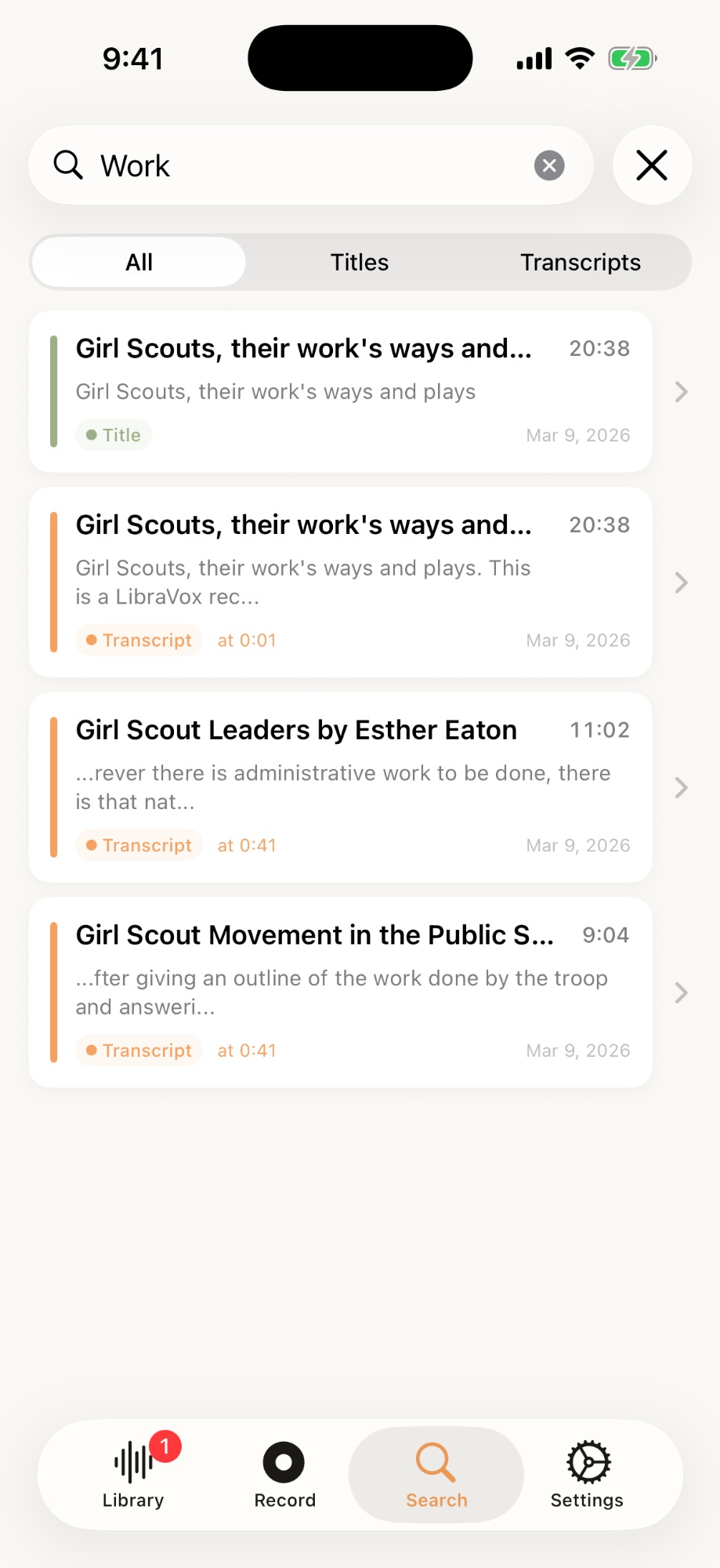
Find any word across every recording in milliseconds. Find-in-transcript with match highlighting, plus Spotlight and Siri Shortcuts integration.

100% Private

Your voice never leaves your device. No account, no analytics, no cloud processing. iCloud sync goes to your own private database — we can't access it.

Synced Playback

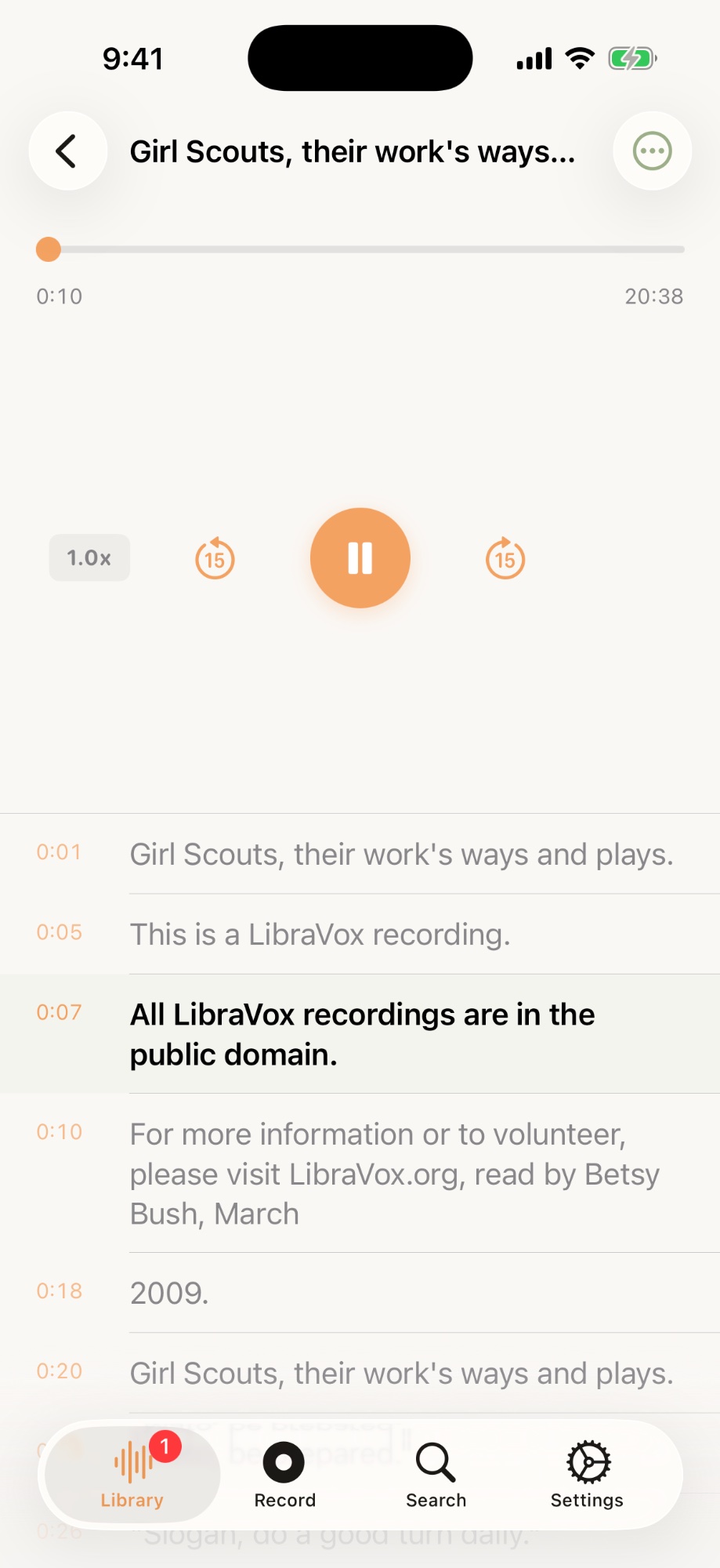
Speed control (0.5x–2.0x) with real-time transcript highlighting. Tap any segment to jump. Auto-scroll follows along.

Import & Export

Import iOS call recordings or any audio file (.m4a, .mp3, .wav) for transcription. Export as PDF, SRT subtitles, or TXT. Share via AirDrop, Mail, or any app.

Good to know

What Tuck Voice does — and doesn't

Tuck Voice records through your iPhone's microphone. Here's exactly what it can and cannot do.

What Tuck Voice can do

Record voice via microphone (meetings, lectures, ideas, interviews)
Import iOS call recordings (iOS 18.1+) for transcription and search
Transcribe speech to text entirely on-device using Whisper AI
Search across all your recordings and transcripts instantly
Organize with nested tags, folders, bookmarks, and color-coded cards
Sync recordings across your devices via iCloud
Export transcripts as PDF, TXT, or SRT subtitles
Import audio files (.m4a, .mp3, .wav) from Files app
Edit transcript segments to fix recognition errors
Adjust playback speed (0.5x–2.0x) with synced highlighting
Find recordings from Spotlight search and Siri Shortcuts

Limitations

Record internal audio (YouTube, Spotify, video playback, etc.)
Record phone calls directly (iOS restriction — but you can import iOS 18.1+ call recordings)
Real-time translation or live captioning
Software noise cancellation (relies on iPhone hardware mics)

These are iOS platform restrictions, not Tuck Voice limitations. iPhone hardware microphones provide basic noise reduction automatically.

Who it's for

Built for people tired of subscriptions

💼

Professionals

Meeting notes and call recordings you can actually search. Find last quarter’s decisions in seconds. Import, transcribe, organize.

🎓

Students

Record lectures without worry. Search across an entire semester of notes. No subscription, no monthly caps.

🎵

Creators

Capture ideas before they fade. Import audio files for transcription. Export as SRT subtitles for your videos.

🧠

Thinkers

Brain-dump walking ideas and find them later. Record now, organize later — tags and folders are always one tap away.

Your voice stays on your device. Always.

Tuck Voice processes everything locally using Apple's Neural Engine. No account required. No server. No analytics. We can't see your data because it never leaves your phone.

No Cloud UploadsNo Account RequiredNo TrackingNo Analytics

Pricing

Start free. Go pro when you're ready.

No subscriptions. No hidden fees. Pay once, own it forever.

Free

Try everything, no strings attached

$0forever
5 transcriptions per month
3 tags
Unlimited recordings & playback
Full-text search
iCloud sync
All export formats
Download Free
LAUNCH PRICE

Pro

Unlock everything, forever

$3.99one-time$7.99
Unlimited transcriptions
Unlimited tags
Unlimited recordings & playback
Full-text search
iCloud sync
All export formats
All future updates included
Get Tuck Voice Pro

Requires iOS 17+. Whisper model (~140 MB) downloaded on first use.

Why Tuck Voice

How it compares

FeatureTuck VoiceApple MemosOtter.aiJust Press Record
On-device AI transcription
Whisper model quality
Full-text transcript search
Tags & folder organization
No cloud data uploads
iCloud sync
Export (PDF / SRT / TXT)
One-time purchaseFree
PriceFree / $3.99Free$16.99/mo$7.99

Ready to try it?

Download Tuck Voice free and transcribe your first 5 recordings today. No account, no credit card, no strings attached.

Download on the App Store

Free · iOS 17+ · iPhone & iPad